Pilates studio software for small classes at a premium price
Clients pick their own reformer from a map of your room, classes cap at the machines you actually have, and private and duet sessions sell as packages — one system for the pilates studio built around small rooms and premium rates, under your studio's own name.
From $79/mo, published
No contract
No setup fee
No hardware needed
manageyourgym.com/dashboard
See it in action
Sound familiar
What a small studio losesrunning on a paper register
01
Which class is actually full?
A reformer room seats eight machines and no more, but bookings come in by phone, by WhatsApp and at the front desk — so the ninth booking isn't caught until a client is standing next to a machine someone else already claimed.
02
A private session looks like a group booking
Without a separate system, a 1:1 or duet slot gets treated the same as a group class — no package, no session count, just a name on a calendar.
03
A 10-pack winds down without a word
A client on a 10-pack quietly stops rebooking around session seven. Nobody flags it, because there's no renewal date to miss — just a package that goes quiet, and a client who's drifted to another studio by the time anyone notices.
04
The premium rate is hard to defend
Clients paying more for a small, considered room expect the booking experience to match it — instead they get a generic scheduling app that could belong to any studio on the street.
How it runs on ManageYourGym
Run the room, sell the package,keep clients renewing
Everything below is on every plan. Each card says which surface it lives on — the owner dashboard, the instructor app or the member app.
Clients pick their own reformer
Members book from a map of the room — reformers, towers and chairs where they really stand, mirror and instructor at the front — and tap the machine they want. They can change machines until your cancellation cutoff. Or set a class to assign machines automatically, and the member sees theirs as soon as they book.
A class can't take more bookings than it has working machines, so an eight-reformer room never gets a ninth booking. Once it's full, the next booking joins a waitlist and gets a machine the moment one opens. Take a reformer out of service and its bookings move to free machines, each client is notified, and anyone left without one is flagged to you.
Owner dashboard
A member app under your studio's name
Members open your own app — not ours — to see the week's class schedule, pick a machine and buy the next package, all under your studio's name and colours, in light or dark.
A monthly membership, a class pack or an intro offer sits next to private and duet packages, sold and renewed from the dashboard with the balance visible to the member.
A 5-session or 10-session package for a private or a duet slot, booked into the instructor's real availability and drawn down one session at a time.
Owner dashboard · Instructor app
The room at a glance, for the desk and the instructor
Every instructor's week on one calendar, and every class as a map of who's on which machine. The desk moves or swaps clients between machines with two taps; instructors can too if you allow it. A sub can be swapped in without losing the class history. Clients check in with a QR code, or a finger or face on your eSSL or ZKTeco device.
Owner dashboard · Instructor app
Online payments and invoices
Memberships, packages and single classes paid in the app, with an invoice generated automatically for every payment — through Stripe, Razorpay or Nomod.
Owner dashboard
Client assessments and waivers
Posture notes, injury history and progress recorded on the client record over time, visible to whichever instructor takes the next session — and a waiver signed in the app before the first one.
Instructor app · Member app
AI built in
An assistant that does the work, after you say yes
Ask in plain English and it answers from your own data. Ask it to change something and it lines the change up for you to confirm. It is built into your dashboard and connects to Claude and ChatGPT, and each person reaches only what their role allows.
Add a Reformer Flow class on Saturdays at 9, eight reformers, with Sofia.
Here's the class to add:
Add Reformer Flow weekly
When
Saturdays, 9:00 AM · 50 min
Instructor
Sofia Rossi
Capacity
8 reformers
Before you book five demos
The four questions most vendors dodge
Question
ManageYourGym
What you’ll often hear
Is the price published?
$79, $169 or $349 a month, on this page.
Often:“Get a quote” — the number comes after the demo.
Am I locked in?
No. Monthly or yearly, cancel anytime.
Often:12-month terms that auto-renew.
Is the member app extra?
No. Under your name, on every plan.
Often:A paid add-on or a higher tier — one vendor lists it at $99 a month extra.
Do I need hardware?
No. QR on a phone or a tablet at the entrance.
Often:Turnstiles or scanners bought separately.
Read from competitor pricing pages and reviews, September 2026.
Your brand, in their pocket
Your name on the App Store,not ours
Your clients and your instructors open an app published under your studio's own name and icon, in your colours, on the Play Store and the App Store. Same data as your dashboard. None of our branding.
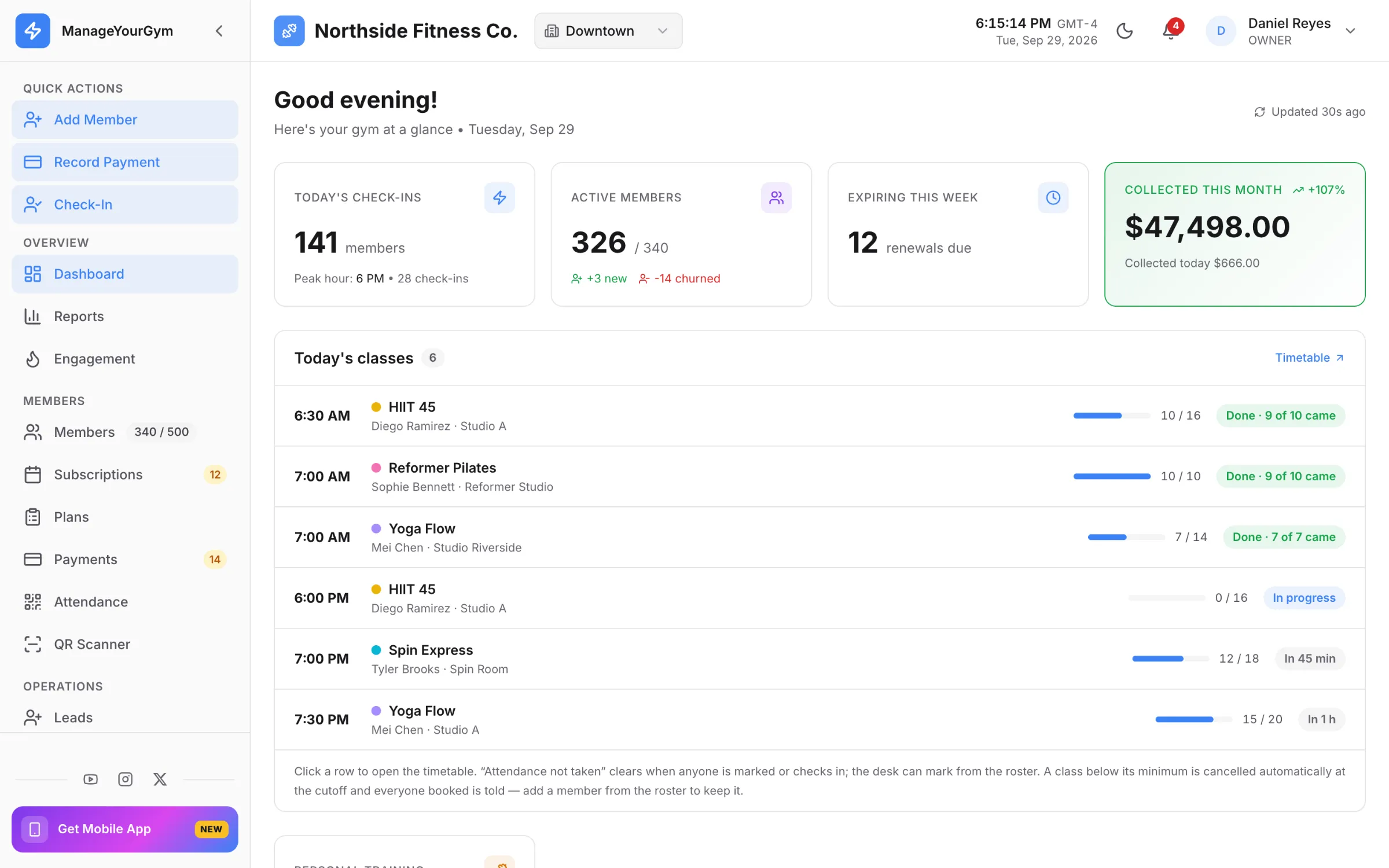
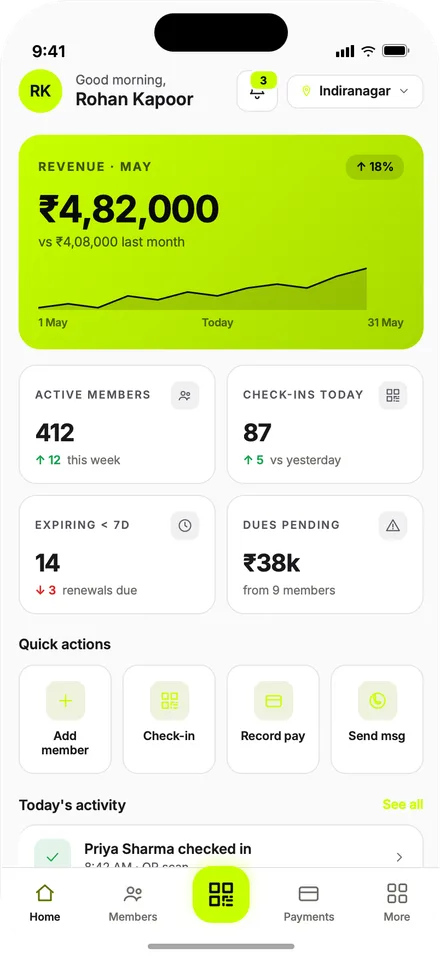
The studio between classes: today's sessions, who's on which reformer, who's on the waitlist, memberships and packages about to run out, revenue this month.
Lay out the room and move clients between machines
Sell a membership or a package, take a payment
Class capacity and waitlists at a glance
For your clients
Member app
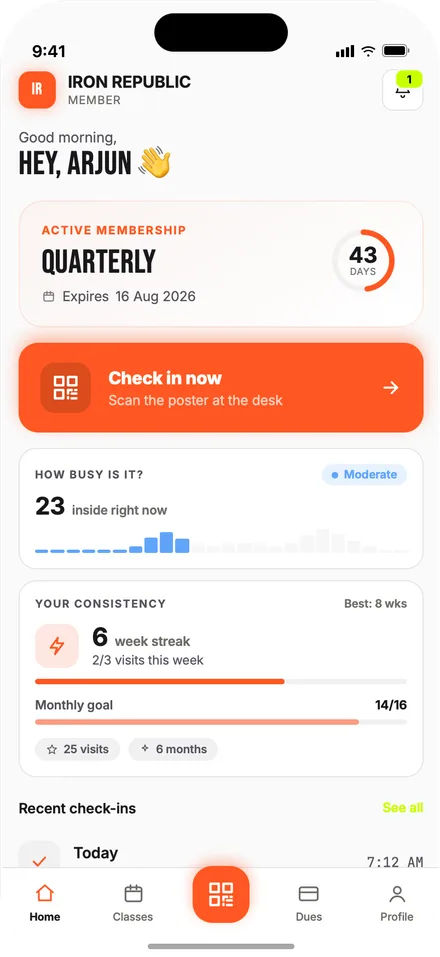
Book a class on the reformer they want, a private or a duet session, see the package balance and pay for the next one — all under your studio's own name.
Pick a reformer from a map of the room
Private and duet packages tracked alongside memberships
Payments and invoices in the app
Your logo, your colours, your store listing
For your instructors
Instructor app
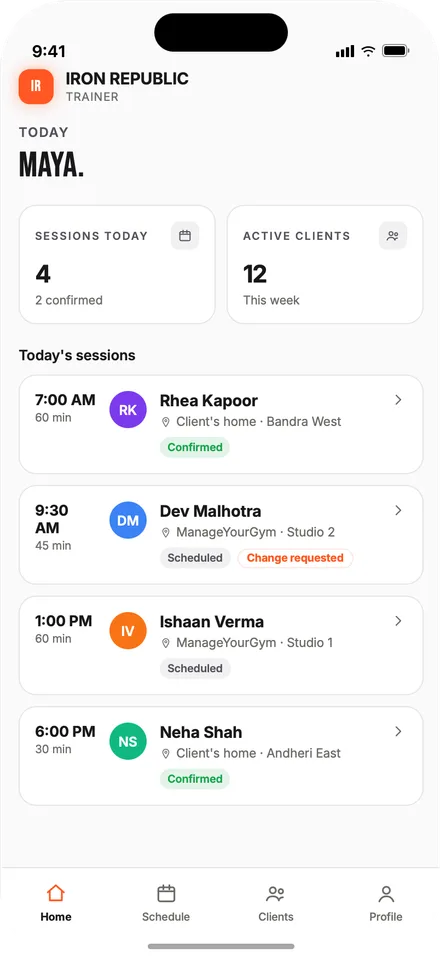
The instructor's own day: their classes with who's on which reformer and who's checked in, their private and duet sessions, client notes and assessments, and their own earnings.
Each class's room: who's on which reformer
Client notes and assessments on hand
Their own earnings, session by session
Same brand as the member app
Built for small rooms
Software built for classescapped by the room, not the market
A pilates studio runs small classes on purpose — a reformer room seats what it seats. ManageYourGym books each client onto a specific machine, caps the class at the machines that work today, and treats a private or duet session as its own bookable unit, not an afterthought.
Clients book a specific reformer from a map of the room, and two clients can never hold the same machine
Class capacity and waitlists enforced at the booking step, with a short payment hold on an unpaid booking before the machine releases
Private and duet sessions sold and booked as their own package, separate from group memberships
Pricing
One price,every feature
Pick the tier that fits your roster. The branded apps are included on every tier and set up with you during onboarding. Every feature on this page is on every tier — nothing is an add-on.
Gyms outside India are billed in USD.
STARTER
For a studio finding its feet.
$79/mo
Up to 150 clients · single location · 10 instructors
White-label store listings under your own developer account
Dedicated onboarding
Phone support
FAQ
What studio owners askon the demo
Can clients choose their own reformer?
Yes. For each class you choose whether members pick their machine or the studio assigns one. When they pick, the member app shows a map of the room with the open machines, and they can change to another free one until your cancellation cutoff. The desk can move or swap anyone until the class ends.
What happens when a reformer is out of service?
Mark it out of service on the room layout. Bookings on that machine move to free ones for every upcoming class, and each client gets a notification with their new machine. If a class has no free machine left, the client is flagged on your dashboard so the desk can sort it.
What happens when the reformer room is full?
Once every machine is booked, the class stops taking new bookings and the next client to try joins a waitlist. When a machine opens, the first person on the waitlist gets it. A booked-but-unpaid machine is held for a short window while the client completes payment, then released if the hold expires.
Can a reformer class and a tower class run in the same room?
Yes. Each room has a layout of typed machines — reformer, tower, chair or mat — and each class says which types it uses. Two classes can share the room at the same time as long as they don't use the same type of machine.
How do clients pay for a class or a package?
Card payments run through Stripe, Razorpay or Nomod, settled to your own account. A membership, a class pack, a private package or a single class is paid for in the app, with an invoice generated automatically for every payment.
Does the instructor and client app carry my studio's branding?
Yes. The member and instructor apps publish on the Play Store and the App Store under your studio's own name and icon, in your colours. A client searching for your studio by name finds you, not us.
Get started
See it with your ownclass schedule
Bring your class schedule to a 20-minute demo, or start the trial and message us on WhatsApp whenever you get stuck.